

Step-by-Step Installation Instructions
This guide provides detailed instructions for developers on how to purchase PinkDocks. Follow the step-by-step instructions outlined below to successfully complete your purchase.
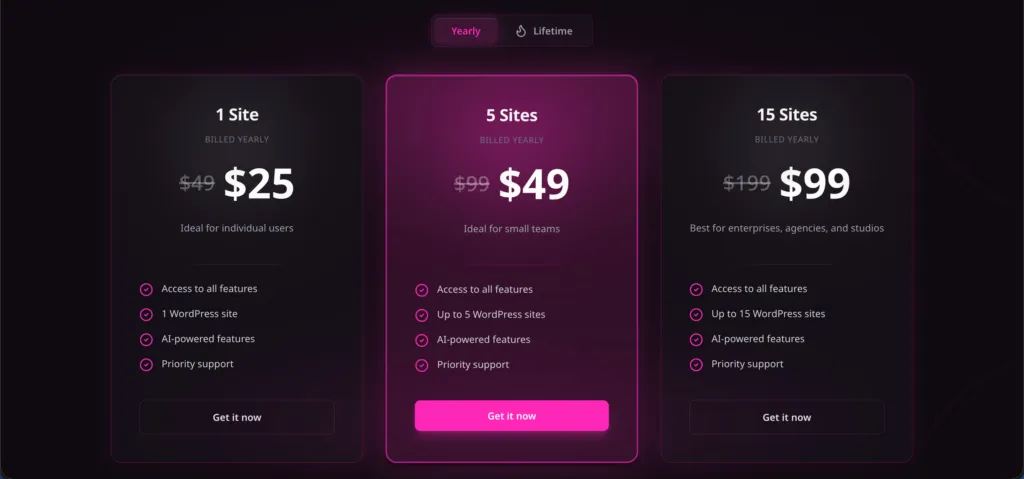
Step 1: Visit the Pricing Page
Go to the PinkDocks pricing page at pinkdocs.com/pricing.
Step 2: Choose Your Plan
Select the plan that best fits your needs. Click on the “Select Plan” button next to your chosen option.
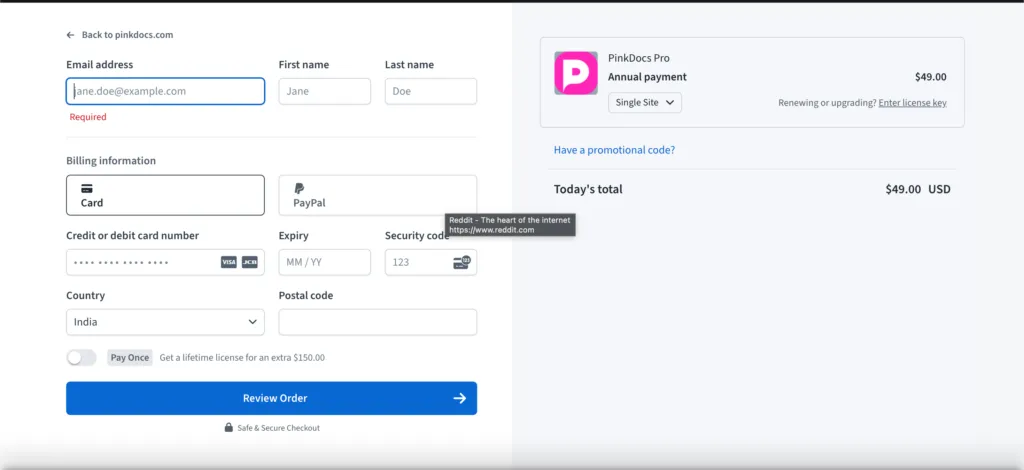
Step 3: Checkout via Freemius
You will be redirected to the Freemius checkout page. Here, you’ll need to enter your payment details.
Step 4: Access Your License Key
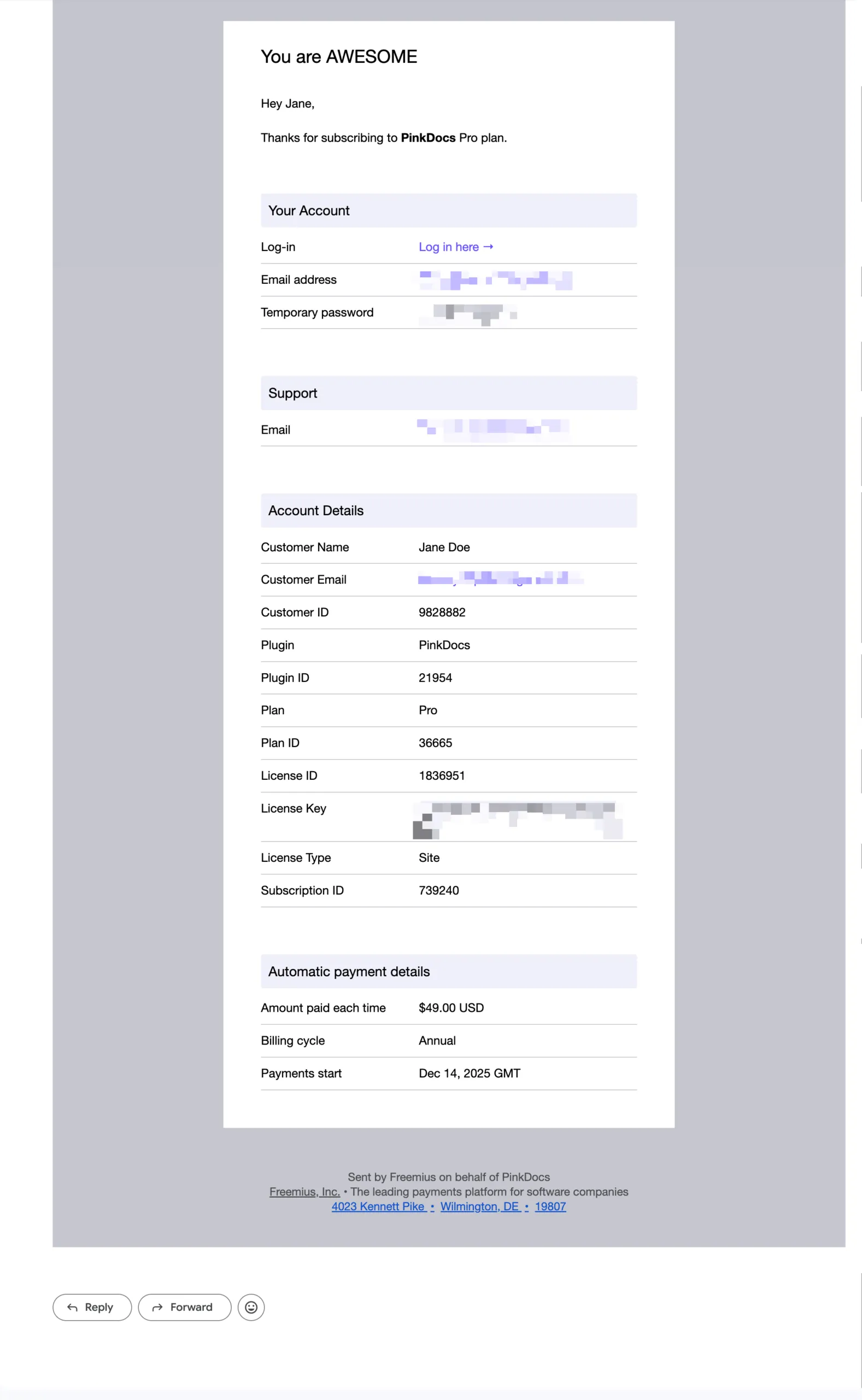
Upon successful purchase, you will receive an email confirmation containing your license key. This key is essential for activating your PinkDocks software.
Step 5: Download PinkDocks
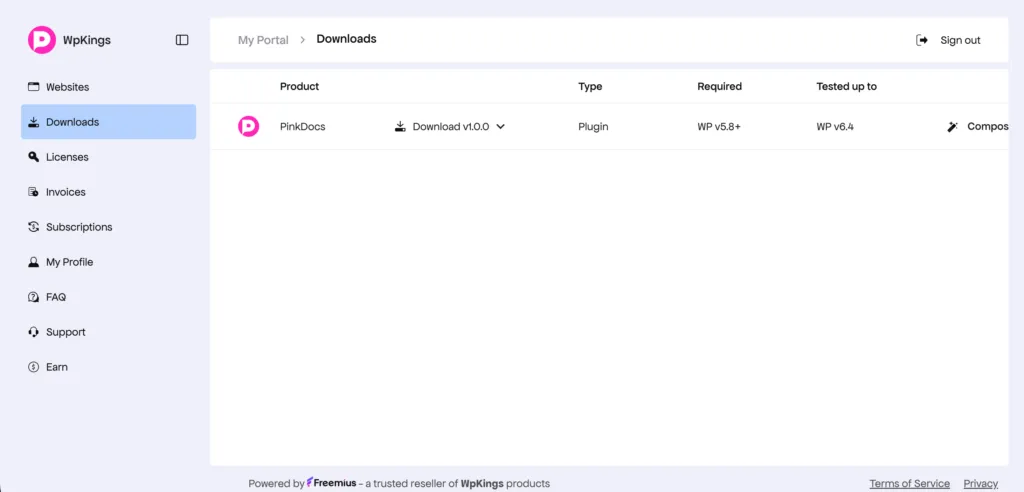
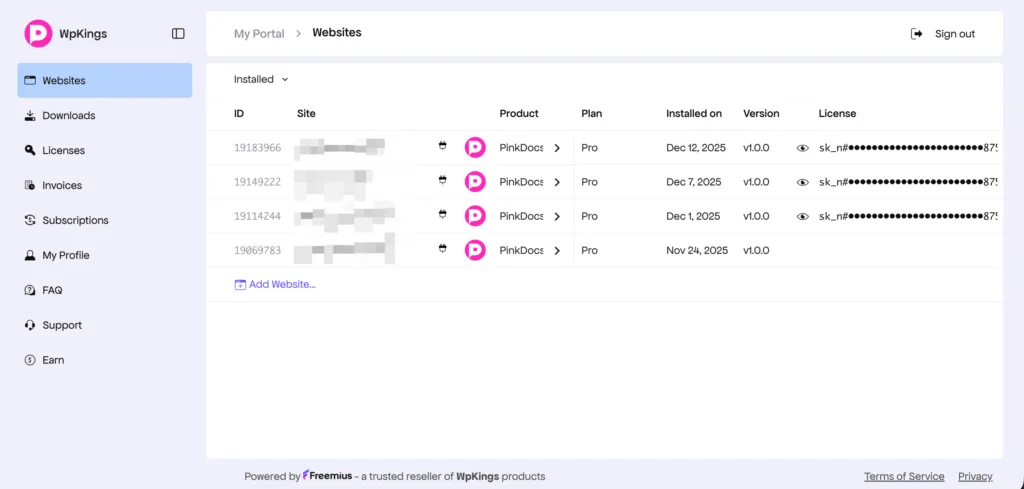
Visit your account page at pinkdocs.com/account to download the plugin.
Verification Steps
To confirm successful installation and activation:
- Log into your PinkDocks account.
- Check for the status of your license under the “Licenses” section.
- Ensure that all features are accessible and functioning properly.
Common Installation Issues and Troubleshooting
- Issue: License key not accepted.
Solution: Verify that you entered the key correctly and that it corresponds to your account. - Issue: Unable to download software.
Solution: Ensure you are logged into your PinkDocks account and that your payment has been processed. - Issue: Freemius checkout errors.
Solution: Check your payment information and ensure your internet connection is stable.
FAQ
What payment methods are accepted?
Freemius accepts various payment methods including credit cards and PayPal. Check the checkout page for more details.
Can I upgrade my plan later?
Yes, you can upgrade your plan at any time through your PinkDocks account.
What if I forget my password?
You can reset your password by clicking on the “Forgot Password?” link on the login page.
How do I contact support?
For support, you can reach out via the contact form on the PinkDocks website or through the support section in your account or visit https://pinkdocs.com/support