

PinkDocs includes a built-in feedback system that helps you understand how helpful your documentation and code examples are.
Document Feedback (Yes / No)
At the bottom of every document, visitors see a feedback prompt:
“Was this page helpful?”
How It Works
- Users can click Yes or No
- Based on their choice, a follow-up form appears
If the user clicks Yes
They can select what worked well:
- The guide worked as expected
- It was easy to find the information
- It was easy to understand the product and features
- The documentation is up to date
- Something else
If the user clicks No
They can select what went wrong:
- The guide did not work as expected
- It was hard to find the information
- It was hard to understand the content
- The documentation is outdated or incorrect
- Something else
Users can then submit their feedback with a single click.
Code Feedback (Report Incorrect Code)
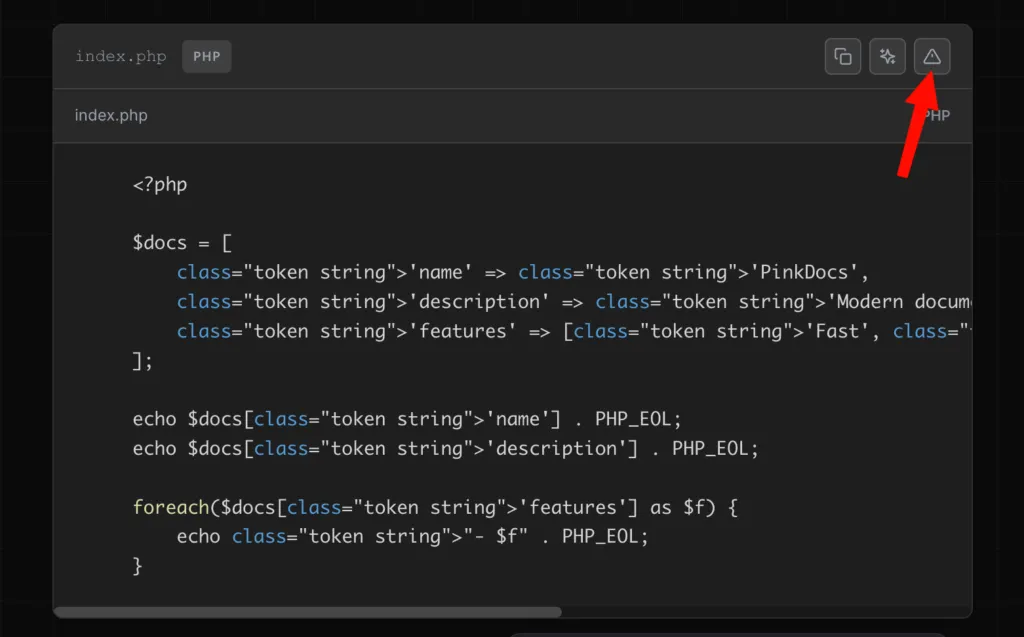
For Pinkdocs code blocks, PinkDocs adds a Report Incorrect Code option.
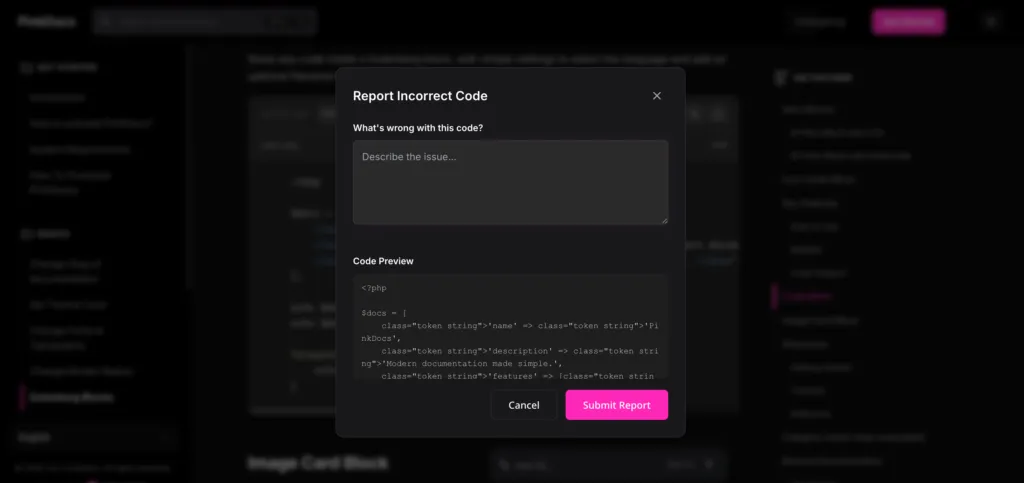
What Users Can Do
- Describe what’s wrong with the code
- See a read-only preview of the exact code
- Submit a detailed report without leaving the page
This is especially useful for:
- Broken examples
- Version mismatches
- Typos or outdated snippets
Viewing Feedback in WordPress Admin
All feedback is collected inside your dashboard.
Location: PinkDocs → Feedback
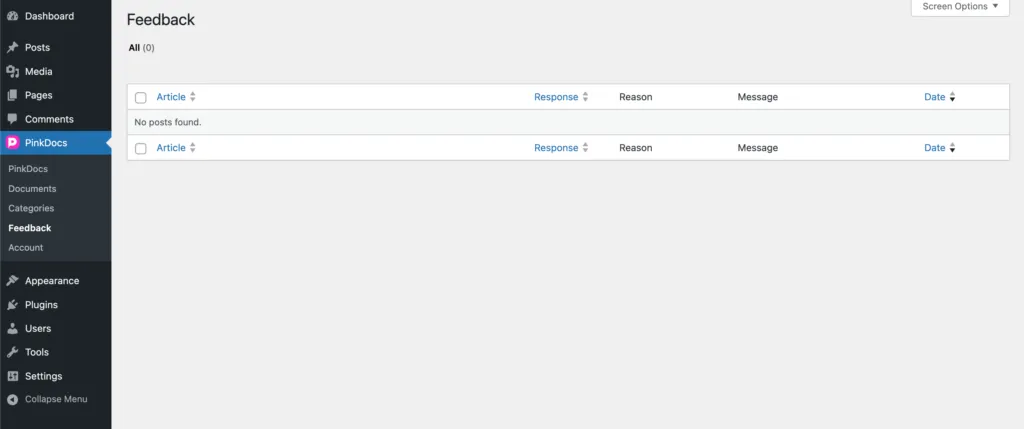
What You’ll See
- Related Article
- User Response (Yes / No)
- Selected Reason
- Optional Message
- Submission Date
This gives you a centralized view of what needs improvement.
Why This Matters
- Identify confusing or outdated docs
- Catch broken code quickly
- Improve documentation quality over time
- Make data-driven documentation updates
Key Benefits
- No third-party tools required
- Feedback is tied directly to each document
- Works for both content and code
- Clean, non-intrusive user experience
PinkDocs turns documentation into a two-way conversation, helping you continuously improve clarity, accuracy, and developer trust.
Was this page helpful?
Great! What worked best for you?
Please
provide
additional details about your experience.
✓ Thank you for your feedback! We appreciate your input.