

Before you install PinkDocs, check that your WordPress site meets the requirements below. Most modern WordPress hosts meet them out of the box.
Minimum requirements
| Component | Minimum | Recommended |
|---|---|---|
| WordPress | 6.0 | Latest version |
| PHP | 7.4 | 8.1 or newer |
| MySQL / MariaDB | MySQL 5.7 / MariaDB 10.3 | MySQL 8.0 / MariaDB 10.6 or newer |
| PHP memory limit | 128 MB | 256 MB |
| HTTPS | Optional | Required for AI features |
Check your versions
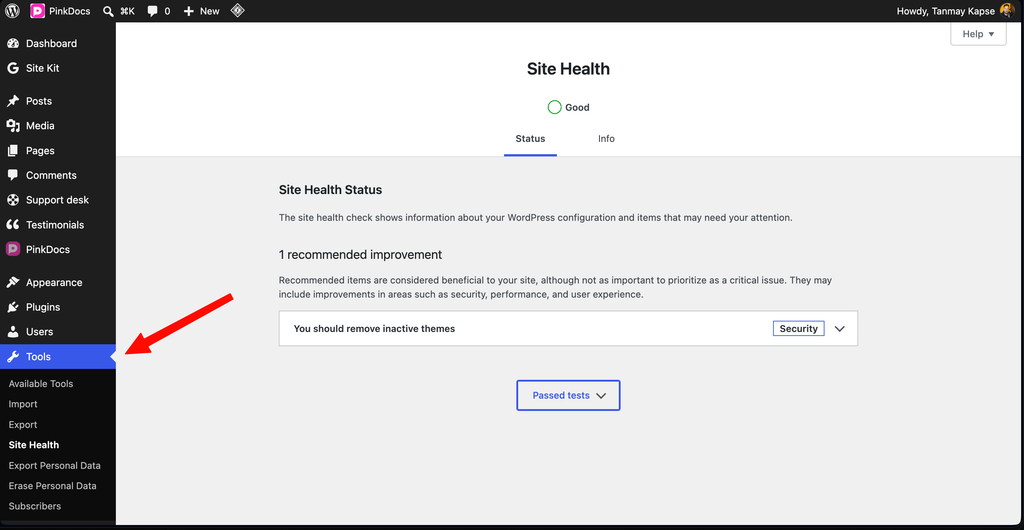
Open Site Health
In your WordPress admin, go to Tools → Site Health and open the Info tab.
📷 Image placeholder: the Site Health screen with the I
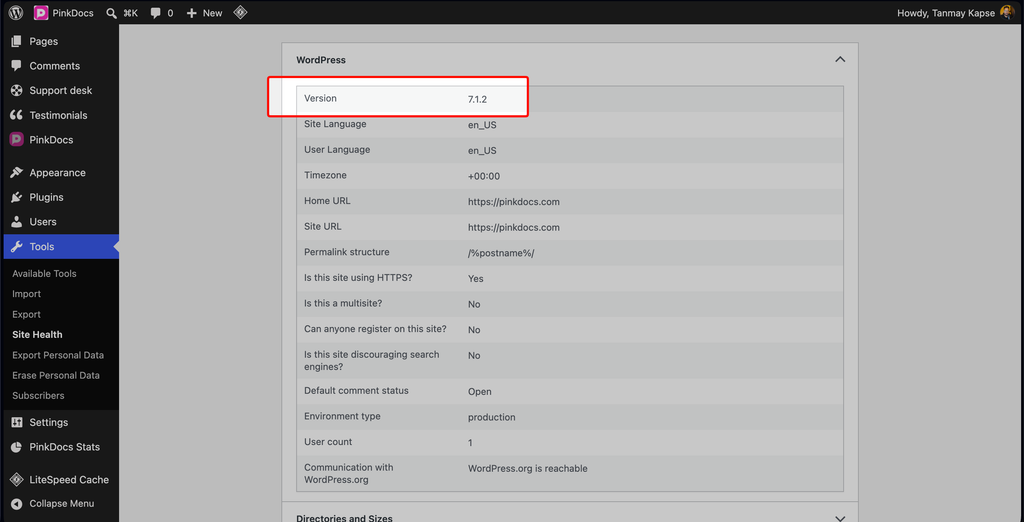
Check WordPress and PHP
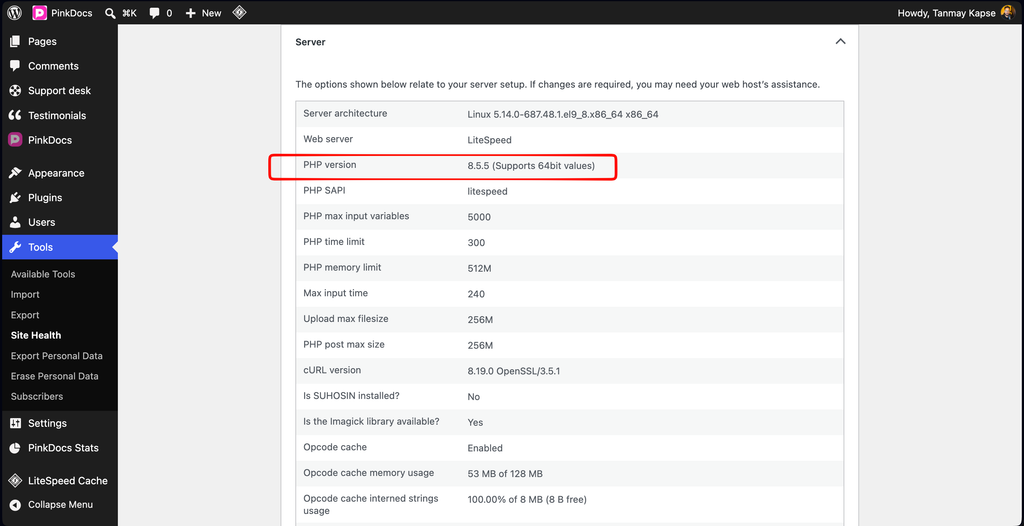
Expand WordPress to see your WordPress version, and Server to see your PHP version and memory limit.
Check your database
Expand Database to see your MySQL or MariaDB version.
Theme and plugin compatibility
PinkDocs works with any properly coded WordPress theme, including block themes and classic themes. You can adjust how your help centre looks in the Customise section of this help centre.
Common questions
Yes. Activate PinkDocs on each site where you want a help centre. Each site keeps its own knowledge bases and docs.
No. Knowledge bases, categories, docs, search and analytics all work without AI. You only need to connect an AI provider if you want to use the AI features.