

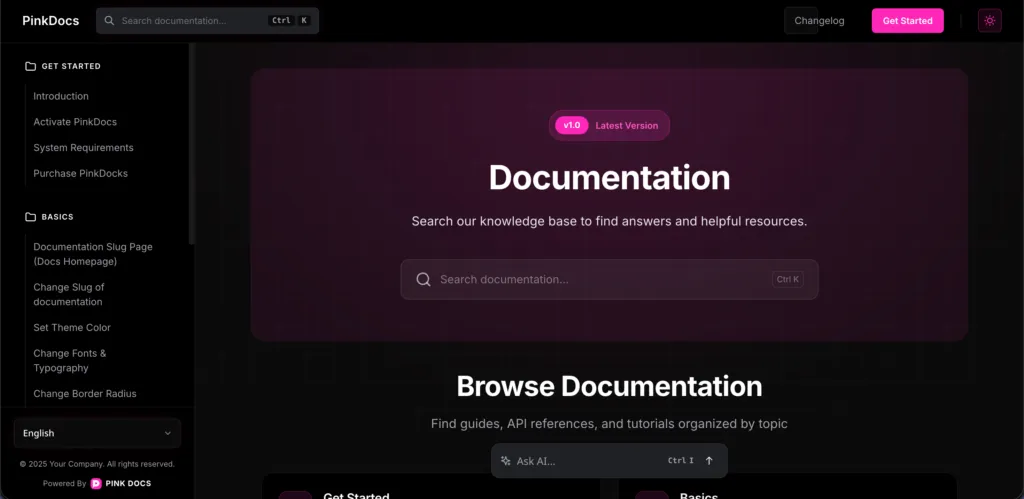
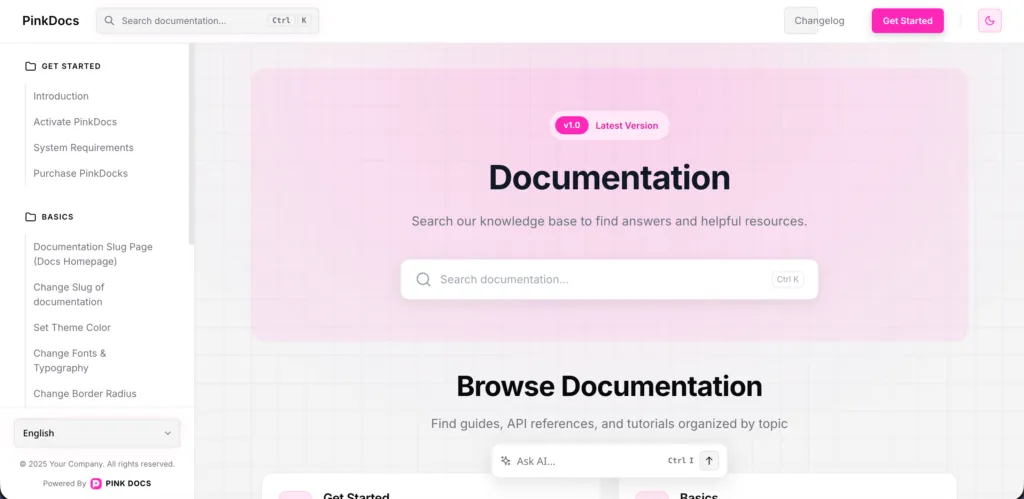
PinkDocs automatically adapts to both light and dark modes, ensuring your documentation looks beautiful and readable in every environment.
How It Works
- PinkDocs detects the user’s system preference (light or dark)
- Users can manually switch modes using the theme toggle in the header
- The entire documentation UI updates instantly—no page reloads
What Adapts Automatically
- Text, backgrounds, and surfaces
- Code blocks and inline code
- Tables, alerts, and cards
- Search, TOC, AI summary, and modals
- Feedback and changelog components
Every element is carefully tuned for contrast, clarity, and comfort.
Light Mode
- Clean and distraction-free
- Ideal for daytime reading and quick scanning
- Perfect for onboarding and first-time users
Dark Mode
- Easy on the eyes for long reading sessions
- Ideal for developers and night-time use
- Enhances focus and reduces visual fatigue
Logo & Branding Support
You can upload separate logos for light and dark mode from
PinkDocs → Header & Footer, ensuring your branding always looks perfect.
Why This Matters
- Better accessibility and user comfort
- Modern, premium documentation experience
- Loved by developers and non-technical users alike
- Matches today’s OS and browser expectations
With PinkDocs, light and dark modes aren’t an add-on—they’re a first-class experience, designed to make your documentation feel polished, modern, and effortless to use.
Was this page helpful?
Great! What worked best for you?
Please
provide
additional details about your experience.
✓ Thank you for your feedback! We appreciate your input.